

How It Works
Clear from request to record.
A Drivver journey is designed around six understandable moments. Features and availability may vary by city, category and app version.

Set the journey
Enter the pickup and destination carefully. Confirm the pin and add a useful pickup note without exposing unnecessary personal information.
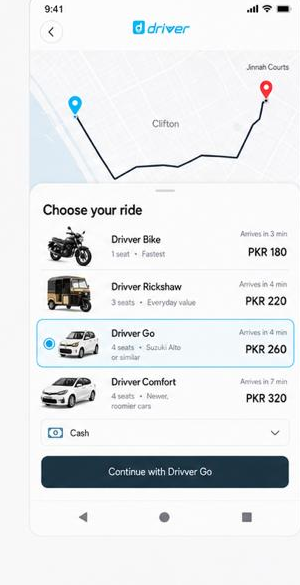
Choose a category
Compare Drivver Bike, Drivver Rickshaw, Drivver Value and Drivver Plus currently available. Choose according to capacity, air-conditioning/comfort need, equipment and journey needs.

Review before confirming
Read the price or pricing method, pickup, category, payment and material conditions shown.

Match the details
Check the driver photograph, vehicle and registration. Do not begin if the details do not match.

Complete the journey
Use available trip-sharing or safety tools, follow category safety rules and keep communication respectful.
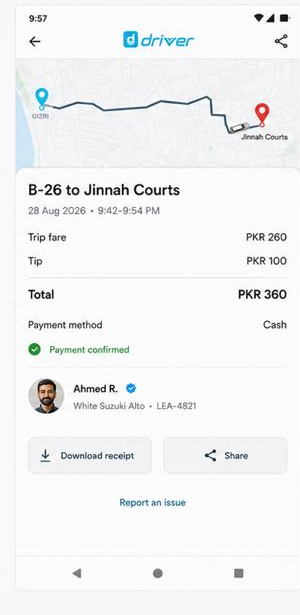
Pay, record and rate
Use the selected payment method, keep the trip record and report an issue through the correct help route.